Real photo sizes
2 MP in 2007, 5 MP in 2010, 12 MP from 2015.
Guide
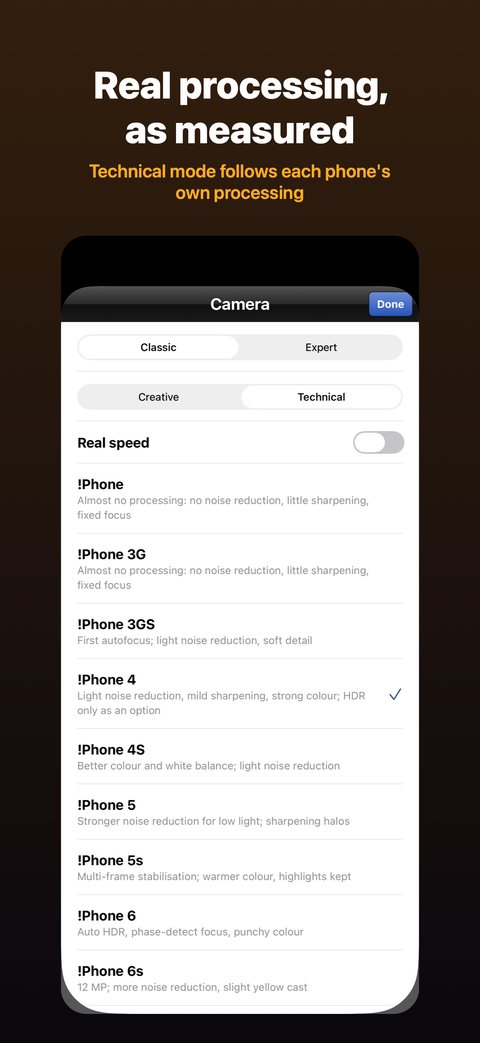
Camstalgia gives your iPhone the cameras of 14 phones from 2007 to 2019. Each photo gets that phone’s photo size, grain, sharpening, HDR and colour, on a camera screen in the style of its year.
Every classic photo is developed the way the phone you picked did it.
2 MP in 2007, 5 MP in 2010, 12 MP from 2015.
The early phones had tiny sensors and a narrow range, so whites burn out and dim rooms get grainy.
Video, flash, selfie camera, timer, grid and filters come where that year’s phone had them.
Makes you wait between shots as long as the old phones did. It’s off unless you turn it on in the phone list.
Each photo is kept in the app’s roll, in the style of that year, and saved to your photo library with Photos access on.
Shoot with a camera that develops photos the way an old phone did. In Camstalgia, pick one of 14 phones from 2007 to 2019; each photo then gets that phone’s photo size, sensor noise, sharpening, HDR and colour.
The early phones had tiny sensors, little processing and a narrow range, so whites burn out and dim rooms get grainy.
Yes. Video comes with the phones whose year had it. On iOS 18 or later, Expert mode adds 4K video where your iPhone has it. Your first 10 photos or videos are free.
No. There’s no account and nothing to sign up for. Every photo is developed on your iPhone, and Camstalgia never uploads your photos.
New photos with the 2010 phone’s photo size, colour and grain.
An old phone’s photo size, noise and colour, not just a tint.
The phone cameras of the late 2000s, starting at 2 MP in 2007.
Old phone cameras instead of film: how Camstalgia differs from Dazz Cam and Huji Cam.
Four old camera apps for iPhone, sorted by the look they copy.
Get Camstalgia and try every phone with your first 10 photos or videos.
iOS 15+ · No account · 10 free