Camstalgia: phones from 2007 to 2019
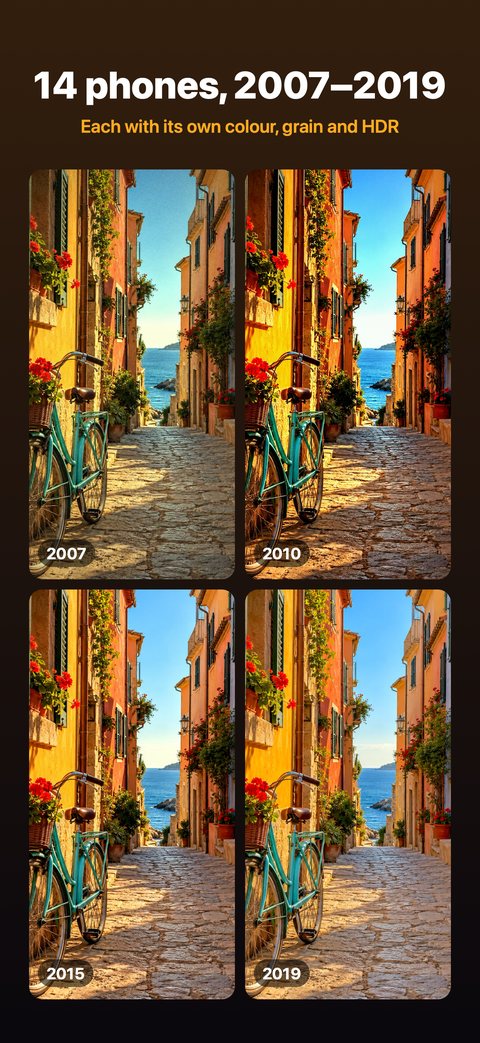
Our app. It takes each photo in RAW and develops it like the phone you pick: its photo size, lens view, sensor noise, sharpening, HDR and colour.
Comparison
There’s no single best one: each app copies a different kind of old camera. Here are four, ours included, described from their own App Store pages.
“Old camera” means different things. Decide which one you miss.
Our app. It takes each photo in RAW and develops it like the phone you pick: its photo size, lens view, sensor noise, sharpening, HDR and colour.
Its App Store page calls it a tribute to the button phone cameras of the 2000s, at 0.3 MP (640 × 480), and says it can process photos you import.
Its App Store page describes an analog film look, like the year 1998.
Its App Store page describes looks inspired by classic film cameras, with disposable, instant, compact and CCD camera styles.
We made Camstalgia, so read this with that in mind. The other apps are described only from their own App Store pages, checked on 12 November 2026; check those pages for current features and prices. 0.3MP Camera, Huji Cam and Dazz Cam are trademarks of their owners. Camstalgia is not affiliated with them.
If the camera you miss is a phone from 2007 to 2019.
Pick one of 14 phones at the top of the camera. Each has its real photo size (2 MP in 2007, 5 MP in 2010, 12 MP from 2015) and its own camera screen in the style of its year. Choose Creative to turn each year’s look up, or Technical to follow each phone’s processing as measured. Your first 10 photos or videos are free.
Its limits: it starts in 2007, so there are no button phones or flip phones, and it has no film looks.
It depends on the look you want. For phone cameras from 2007 to 2019, try Camstalgia. 0.3MP Camera describes a 2000s button phone look, and Huji Cam and Dazz Cam describe film looks.
Camstalgia develops each new photo the way a phone from 2007 to 2019 did, with its photo size, sensor noise, sharpening, HDR and colour. For the button phones of the 2000s, 0.3MP Camera describes that look.
Camstalgia’s first 10 photos or videos are free, with every phone. Then All Phones is a monthly or yearly subscription, with no free trial. For the other apps, check their App Store pages.
Some can: 0.3MP Camera’s App Store page says it processes photos you import. Camstalgia can’t: it’s a camera that develops each new photo, and it can’t see your photo library.
New photos with the 2010 phone’s photo size, colour and grain.
An old phone’s photo size, noise and colour, not just a tint.
14 phone cameras from 2007 to 2019, each with its photo size and grain.
The phone cameras of the late 2000s, starting at 2 MP in 2007.
Old phone cameras instead of film: how Camstalgia differs from Dazz Cam and Huji Cam.
Get Camstalgia and try every phone with your first 10 photos or videos.
iOS 15+ · No account · 10 free