Guide
Make photos look like an old iPhone took them.
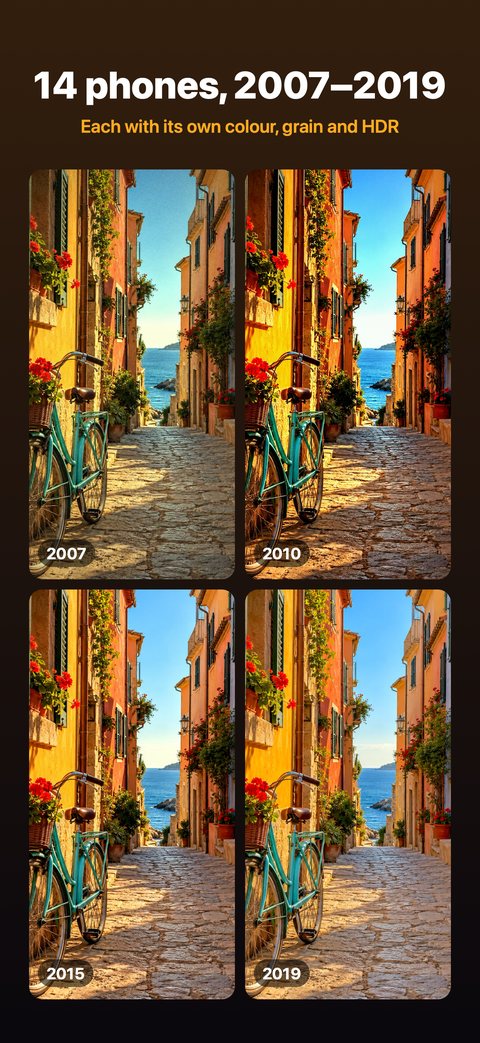
A colour filter only changes the tint. Camstalgia shoots each new photo the way a phone from 2007 to 2019 developed it: its photo size, lens view, sensor noise, sharpening, HDR and colour.
Why a filter isn’t enough
Old phone photos look the way they do because of tiny sensors and simple processing.
The early phones had tiny sensors, little processing and a narrow range, so whites burn out and dim rooms get grainy. A filter on a sharp, modern photo only copies the colour.
Camstalgia starts earlier. Its classic camera takes each photo in RAW and puts it through the processing of the phone you pick: photo size (2 MP in 2007, 5 MP in 2010, 12 MP from 2015), lens view, sensor noise, noise reduction, sharpening, HDR and colour. Up to the 2016 phone, it shoots through your iPhone’s ultra-wide camera if it has one, because that is the closer match to those small sensors.
Do it in three steps
No account and nothing to sign up for.
- Get the app. Install Camstalgia from the App Store.
- Pick a phone. Tap the phone’s name at the top of the camera and choose one of 14 phones, from 2007 to 2019. On the 2011 and 2012 phones, a small panel opens first; tap Phone there. Choose Creative or Technical in the same list.
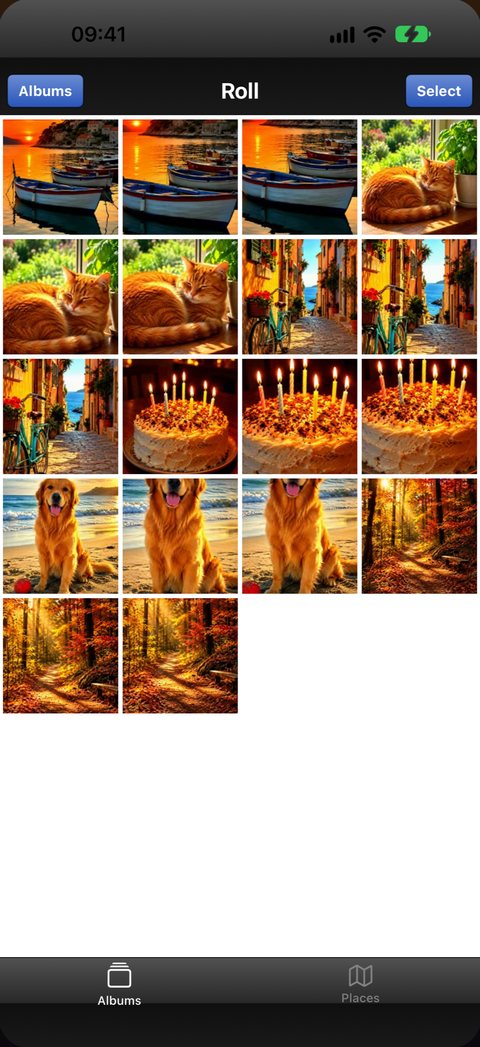
- Shoot. Each photo is developed the way that phone did it. It’s kept in the app’s roll and, with Photos access on, saved to your photo library.
Good to know
- A camera, not an editor. Camstalgia develops each photo as you take it. It can add to your photo library, but it can’t see it, so it can’t change photos you already took.
- Some photos look worse than your normal camera. That’s the point.
- A little softer from 2011 to 2016. Photos from the 8 MP and 12 MP phones of 2011 to 2016 come out a little softer than the real phones’.
- Expert mode needs iOS 18. It gives you today’s camera with any old phone’s look. The classic camera works from iOS 15.
iPhone is a trademark of Apple Inc. Camstalgia is not affiliated with Apple. In the app, the old phones are shown as “!Phone”, “!Phone 4” and so on, with camera screens drawn in our own style.
Questions
Can I make my iPhone photos look like they came from an old iPhone?
Yes, for new photos. Pick one of Camstalgia’s 14 phones from 2007 to 2019, and every photo you take is developed with that phone’s photo size, sensor noise, sharpening, HDR and colour.
Does it edit photos I already took?
No. Camstalgia is a camera: it develops each photo as you take it. It can add to your photo library, but it can’t see it.
Why do old iPhone photos look warm and grainy?
The early phones had tiny sensors, little processing and a narrow range, so whites burn out and dim rooms get grainy. Each phone also had its own colour: next to today’s camera, the 2010 phone’s version of a photo is warmer and brighter.
Does it work on newer iPhones?
Yes. Camstalgia works on any iPhone with iOS 15 or later. Expert mode needs iOS 18 or later, and its lenses and video sizes depend on your iPhone.
More guides
2010 camera app
New photos with the 2010 phone’s photo size, colour and grain.
Old phone camera filter
14 phone cameras from 2007 to 2019, each with its photo size and grain.
2000s camera app
The phone cameras of the late 2000s, starting at 2 MP in 2007.
Dazz Cam alternative
Old phone cameras instead of film: how Camstalgia differs from Dazz Cam and Huji Cam.
Old phone camera apps
Four old camera apps for iPhone, sorted by the look they copy.
Give your next photo an old phone’s look
Get Camstalgia, pick a phone from 2007 to 2019 and shoot. Your first 10 photos or videos are free.
iOS 15+ · No account · 10 free